
Mode conventionGérez le stand depuis votre téléphoneFile numérotée, réservations de flash, paiements par carte et décharges signées.Voir les conventions
Carte
ArtistesStudiosConventionsGuest spotsÉvénements de studioCollaborations

Artistes, studios, conventions et guest spots près de vous, ou là où vous allez.

Ouvrir la carte
DestinationsPlanifiez un voyage tatouage par ville.
Ouvrez votre boutiqueVotre art sur t-shirts et plusOn prépare chaque commande et on l'expédie à vos clients. 0 $ pour lancer votre boutique merch.Lancer votre boutique
Booking line · 12:01 AM

The Assistant that drafts your replies

You tattooed all day. It's midnight and your booking line has new texts. Your Assistant has read each one and drafted a reply. You check it, fix what you want and hit send.

A tattoo artist mid-session on a client's calf, a phone face-down on the tray
Inbox · booking line Awaiting your reply
New
Amara K. · 11:52 PMcan you do something like this? fine line
Reference photo the client texted: a printed fine-line floral design
Amara K. · 11:58 PMpalm sized. inner forearm
Hi Amara, thanks for reaching out. Fine line, palm sized, inner forearm: got it. This floral would look great as fine line. I'll send my intake form so you can finish the request.
Drafted by your Assistant

What the Assistant actually does

It reads what clients text your booking line and drafts a reply. You send it.

  1. 01 Amara K., a client

    A client texts

    They text your booking line: photos, sizes and questions, in any order.

  2. 02

    The Assistant sorts it

    The Assistant turns each message into a structured request: the style, the size, where it goes and the reference they sent.

  3. 03

    The Assistant drafts

    It writes a reply and saves it as a draft. Then it waits for you.

  4. 04 Maya Rivera, tattoo artist

    You send

    You review, edit, and approve it, then hit send. Skip it and the client hears nothing.

Steps 02 and 03 are the Assistant. Step 04 is always you.

You review, edit, and approve

The draft is a starting point. Fix the tone, cut the line you'd never say and add your own. When it sounds like you, approve it.

Review
Check the draft against what the client sent.
Edit
Change one word or rewrite the whole thing. It goes out in your voice.
Approve
Approve it and it sends. Skip it and it waits.
Open the 11:58 PM draft? Amara sent a reference photo and a size.
Maya's edit · 12:03 AM · 2 lines cut, 2 added
Hi Amara, thanks for reaching out. Hey! Love this one. Fine line, palm sized, inner forearm: got it. This floral would look great as fine line. I'll redraw it so it's yours, not a copy. I'll send my intake form so you can finish the request.
Maya RiveraEdited by Maya

Style, size, and reference capture

Clients don't text in order. The reference photo comes at 11:52. The size comes at 11:58, in a second text. The Assistant puts both into one request, so your reply answers both.

Amara K. · 11:52 PMcan you do something like this? fine line
The client's reference photo, a printed fine-line floral design
Amara K. · 11:58 PMpalm sized. inner forearm

Amara K.

Booking line · 2 texts · 11:52–11:58 PM
Unread
StyleFine line
SizePalm sized
PlacementInner forearm
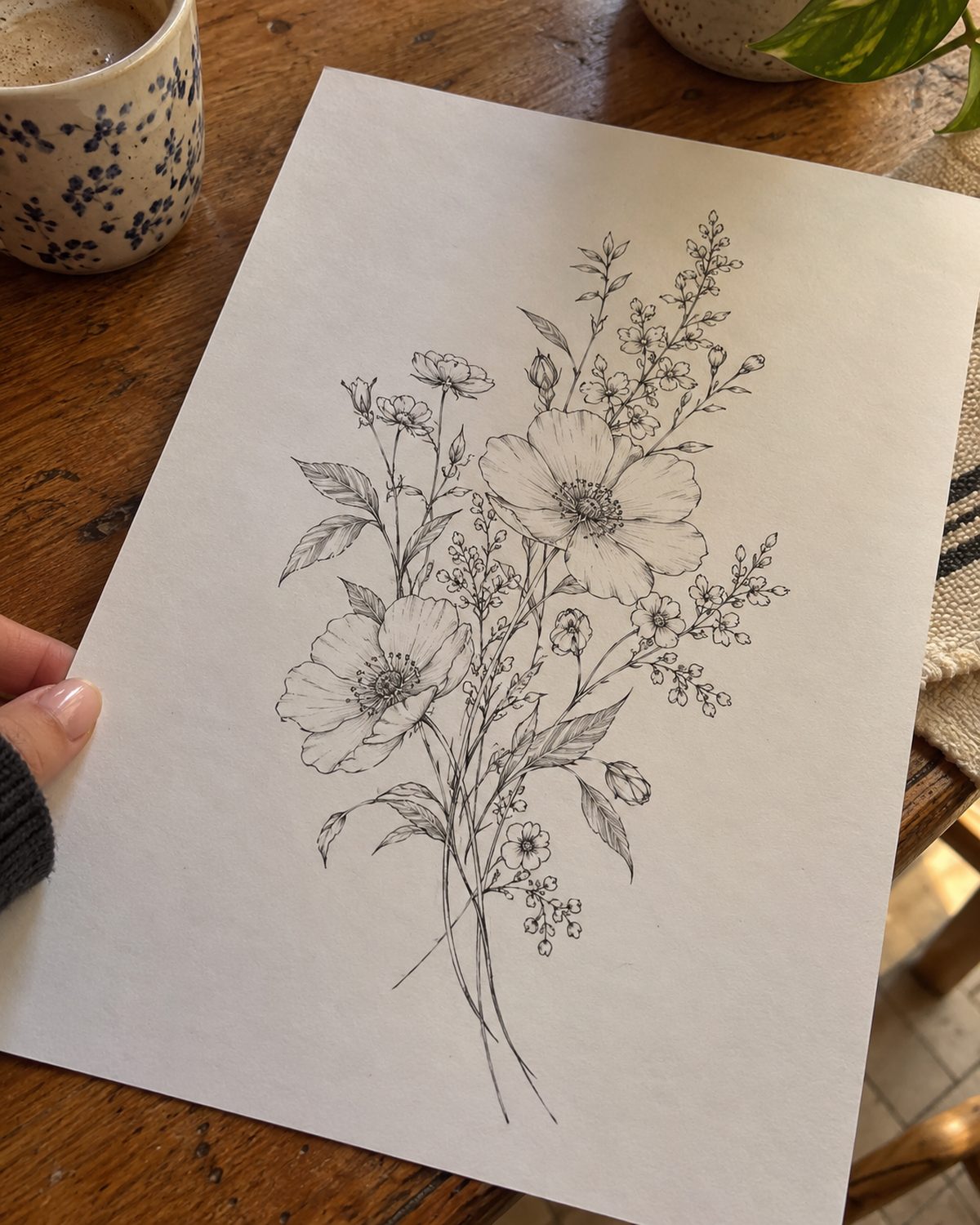
The client's reference photo: a printed fine-line floral design
The client's referenceInner forearm
Text 1 · 11:52 PM
Reference photo, fine line
Text 2 · 11:58 PM
Palm sized, inner forearm
Reference
1 photo, attached

The Assistant filled this in from both texts. You typed nothing.

Need more before anyone books? Your custom intake form takes reference uploads and placement. With approval-first booking on, nobody pays a deposit until you say yes.

Reference uploadsPlacement questionApproval-first booking
The rule

Nothing goes out until you send it

The Assistant drafts. You decide. It never books a session, never replies on its own and never sends a client a word you haven't seen.

AssistantSees: Inbox · booking line
Read 2 texts from Amara K.
Filled in style, size, placement and the reference
Drafted one reply to both
Draft saved. Not sent.Only you can send it.
Tell it what to do…
A reply to a clientOnly when you send it
A booked sessionOnly when you book it
A draft left overnightIt waits. The client sees nothing.

Which plan it is on

All of them. Every plan has every feature, the Assistant included, with card processing built in. Your plan only changes your booking fee.

Free

$0

a month, for good

9.9% booking fee per card payment

Assistant included

Plus

$39

a month

4.5% booking fee per card payment

Assistant included

Pro

Pro

$99

a month

3.5% booking fee per card payment

Assistant included

Deposit on Free
Deposit$20.00
Booking fee, 9.9% with a $2.50 minimum$2.50
Client pays$22.50

$20 paid to you, in full.

The fee covers card processing, so there is no separate processing fee and nothing comes off your price. The client pays it by default. You can split it 50/50 or pay it yourself.

Tips never carry a fee. 100% goes to you. Payouts go straight to your bank, next business day. US-only for now.

After the last session

Let your Assistant draft the replies

Free is $0 a month, for good, and the Assistant comes with it.

Booking line · 12:01 AM

The Assistant that drafts your replies

You tattooed all day. It's midnight and your booking line has new texts. Your Assistant has read each one and drafted a reply. You check it, fix what you want and hit send.
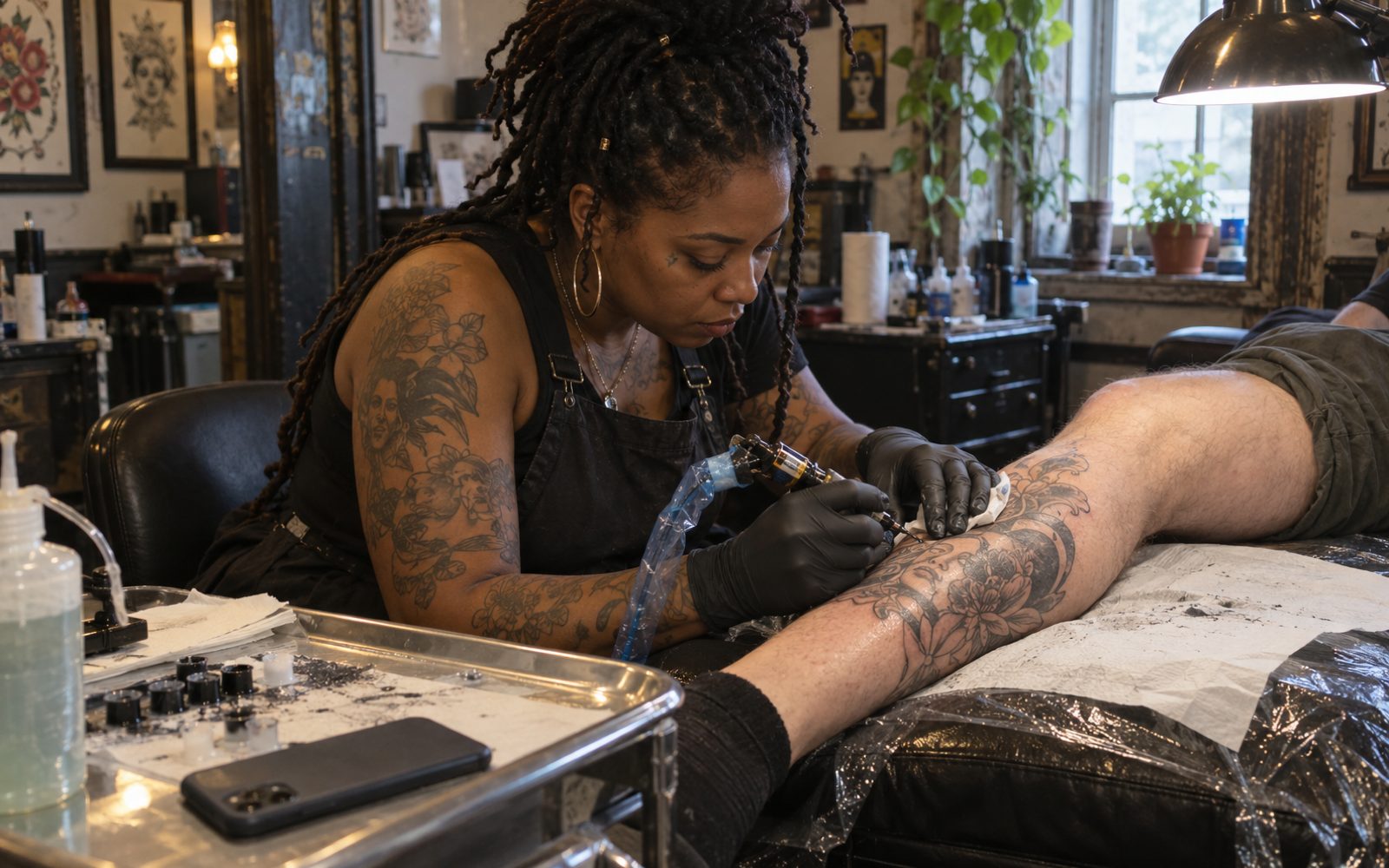
A tattoo artist mid-session on a client's calf, a phone face-down on the tray
Inbox · booking line Awaiting reply
New
Amara K. · 11:52 PMcan you do something like this? fine line
Reference photo the client texted: a printed fine-line floral design
Amara K. · 11:58 PMpalm sized. inner forearm
Hi Amara, thanks for reaching out. Fine line, palm sized, inner forearm: got it. This floral would look great as fine line. I'll send my intake form so you can finish the request.
Your Assistant
Start Free See pricing

What the Assistant actually does

It reads what clients text your booking line and drafts a reply. You send it.

  1. Amara K., a client01 / 04

    A client texts

    They text your booking line: photos, sizes and questions, in any order.

  2. 02 / 04

    The Assistant sorts it

    The Assistant turns each message into a structured request: the style, the size, where it goes and the reference they sent.

  3. 03 / 04

    The Assistant drafts

    It writes a reply and saves it as a draft. Then it waits for you.
  4. Maya Rivera, tattoo artist04 / 04

    You send

    You review, edit, and approve it, then hit send. Skip it and the client hears nothing.

Steps 02 and 03 are the Assistant. Step 04 is always you.

You review, edit, and approve

Open the 11:58 PM draft? Amara sent a reference photo and a size.
Maya's edit · 12:03 AM · 2 lines cut, 2 added
Hi Amara, thanks for reaching out. Hey! Love this one. Fine line, palm sized, inner forearm: got it. This floral would look great as fine line. I'll redraw it so it's yours, not a copy. I'll send my intake form so you can finish the request.
Maya RiveraEdited by Maya

The draft is a starting point. Fix the tone, cut the line you'd never say and add your own. When it sounds like you, approve it.

Review
Check the draft against what the client sent.
Edit
Change one word or rewrite the whole thing. It goes out in your voice.
Approve
Approve it and it sends. Skip it and it waits.

Style, size, and reference capture

Clients don't text in order. The reference photo comes at 11:52. The size comes at 11:58, in a second text. The Assistant puts both into one request, so your reply answers both.

Amara K. · 11:52 PMcan you do something like this? fine line
The client's reference photo, a printed fine-line floral design
Amara K. · 11:58 PMpalm sized. inner forearm

Amara K.

Booking line · 2 texts
Unread
StyleFine line
SizePalm sized
PlacementInner forearm
The client's reference photo: a printed fine-line floral design
The client's referenceInner forearm
11:52 PM
Reference photo, fine line
11:58 PM
Palm sized, inner forearm
Reference
1 photo, attached

The Assistant filled this in from both texts. You typed nothing.

Need more before anyone books? Your custom intake form takes reference uploads and placement. With approval-first booking on, nobody pays a deposit until you say yes.

Reference uploadsPlacement questionApproval-first booking
The rule

Nothing goes out until you send it

AssistantSees: Inbox · booking line
Read 2 texts from Amara K.
Filled in style, size, placement and the reference
Drafted one reply to both
Draft saved. Not sent.Only you can send it.
Tell it what to do…

The Assistant drafts. You decide. It never books a session, never replies on its own and never sends a client a word you haven't seen.

A reply to a clientOnly when you send it
A booked sessionOnly when you book it
A draft left overnightIt waits. The client sees nothing.

Which plan it is on

All of them. Every plan has every feature, the Assistant included, with card processing built in. Your plan only changes your booking fee.

  • Free

    $0

    a month, for good

    9.9% booking fee per card payment

    Assistant included

  • Plus

    $39

    a month

    4.5% booking fee per card payment

    Assistant included

  • Pro

    Pro

    $99

    a month

    3.5% booking fee per card payment

    Assistant included

Deposit on Free
Deposit$20.00
Booking fee, 9.9% with a $2.50 minimum$2.50
Client pays$22.50

$20 paid to you, in full.

The fee covers card processing, so there is no separate processing fee and nothing comes off your price. The client pays it by default. You can split it 50/50 or pay it yourself.

Tips never carry a fee. 100% goes to you. Payouts go straight to your bank, next business day. US-only for now.

Start Free
After the last session

Let your Assistant draft the replies

Free is $0 a month, for good, and the Assistant comes with it.